

Makerloop, the AI app and website builder that keeps improving your apps
Your software factory.
Describe an app or a website. Makerloop builds it, checks it, ships it to the stores or the web, and keeps making it better while you run the business.
Your first version is free. No card needed.
A whole product team, as a factory
From idea to the App Store and beyond, Makerloop runs every station of making software. You describe what you want and approve what matters. The line does the rest.
Describe it once. Makerloop plans the work, writes a real iPhone and Android app or a website with server code, and you watch it come together on your phone.
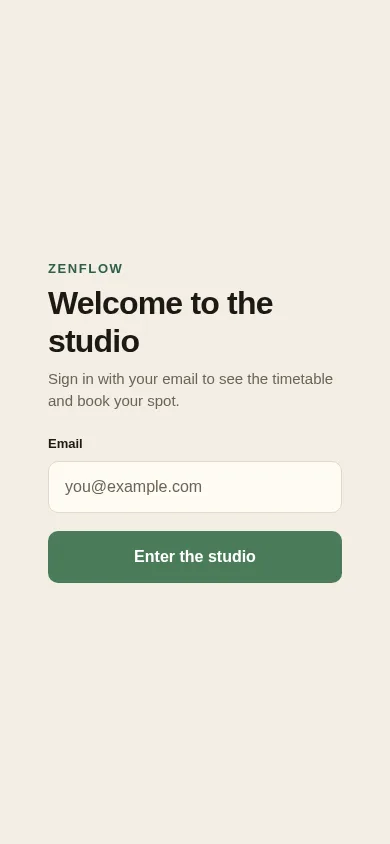
A booking app for my yoga studio, with a weekly timetable
Adding the weekly timetable
- Design the home screen
- Add the weekly timetable
- Let members book a class
One sentence in. An app out.
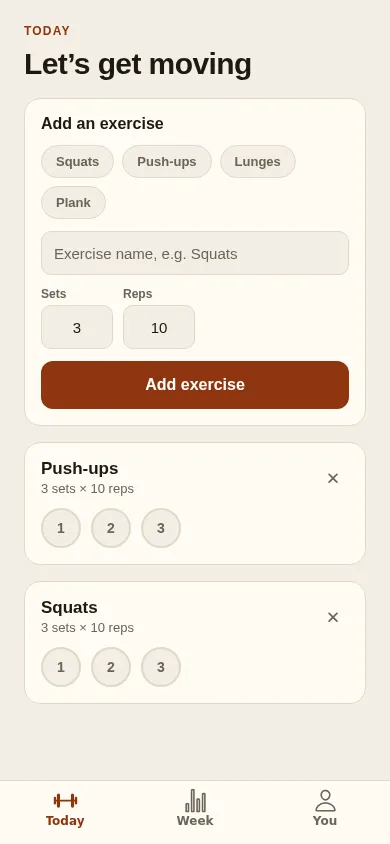
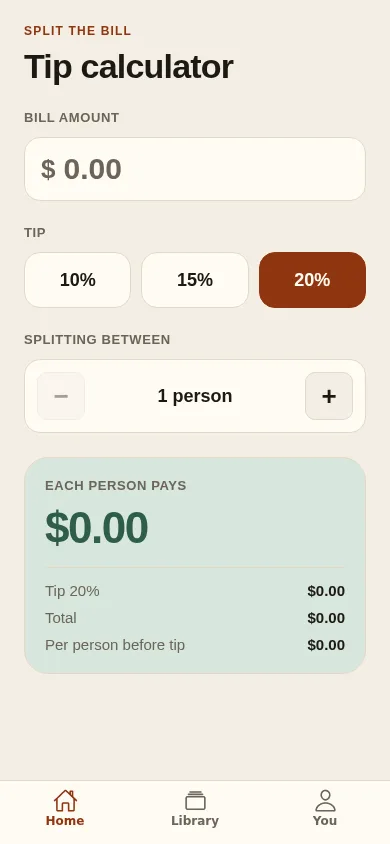
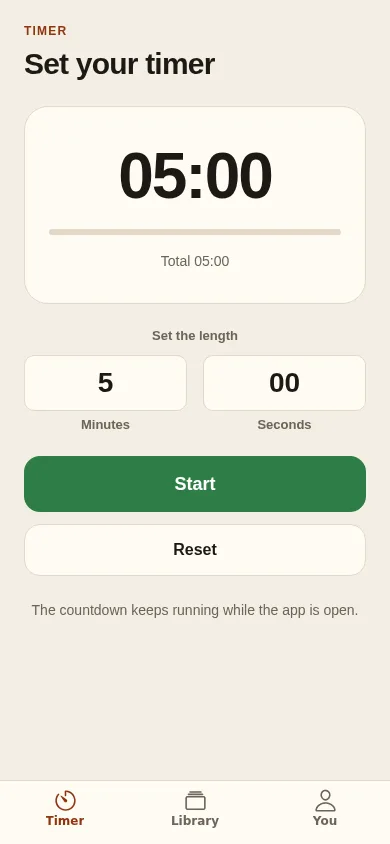
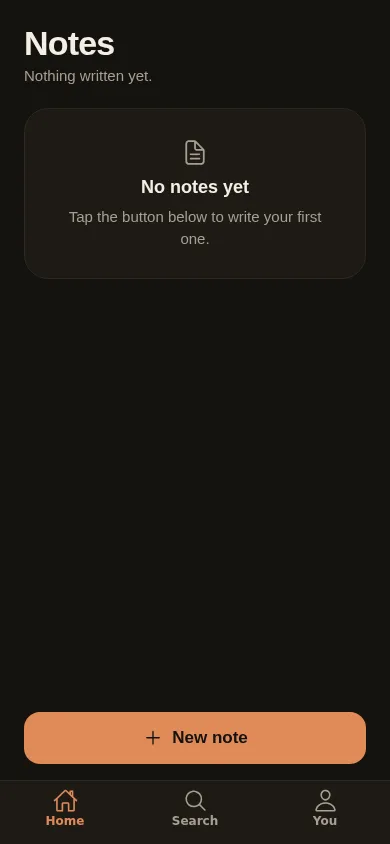
Real apps Makerloop built, each from the one line beside it. Captured from the apps themselves, not mock-ups.
ZenFlow
The first version is where the work starts.
Most builders hand you a first draft and wait for your next message. Makerloop’s line keeps running, so your product gets better every week, the way it would with a team behind it.
It reviews its own work
After every round, Makerloop looks over the whole product and sorts what it finds: broken, needed before launch, polish, and what would help it grow.
It builds while you sleep
Approve the next steps you want and Autopilot builds them on its own, checks them and leaves you a summary. Nightly on Pro and Studio.
It grows with real use
Once people use your app, Makerloop reads how they use it and suggests what to build next, based on what they actually do.
You approve what matters
Nothing goes to the stores, no price changes, no marketing email and nothing over your budget without your yes.
Built like a careful team would build it
Checked before it’s done
Makerloop opens what it built and taps through it before it says a change is finished. Then a second checker tries it fresh.
Failed changes are free
If a change doesn’t work, you don’t pay for it, and the fixing Makerloop does to get it right is on us too.
Yours, start to finish
The app, the code and the content belong to you. Send the code to your own GitHub whenever you like.
Plans for every stage
Every plan builds, checks and publishes real apps and websites. You pay for the building you use, and failed changes are on us.
Builder
Start here$25/ month
Build your first app and put it in the stores.
- $25 of building every month
- Apps and websites, published to the stores and the web
- 2 Autopilot runs a month
- Unused building rolls over
Pro
$100/ month
For people building and shipping every week.
- $110 of building every month
- Everything in Builder
- Autopilot every night
- Unused building rolls over
Studio
$200/ month
For studios running several apps at once.
- $230 of building every month
- Everything in Builder
- Autopilot every night, with bigger runs
- Unused building rolls over
Save 20% with yearly billing. Your first version is free, no card needed. Compare every plan
Questions, answered
What is Makerloop?
Makerloop is the AI app and website builder that keeps improving your apps, run like a software factory. You describe an app or a website in your own words and Makerloop builds it, checks it, ships it and keeps improving it: it reviews what it made, lists what to do next, and can build those changes on its own. You approve what matters.
What can Makerloop build?
Real iPhone and Android apps, published to the App Store and Google Play, and websites with real server code, live at their own address or your own domain. Both can have accounts, a database and payments.
How is this different from other AI app builders?
Most builders stop at the first version and leave you to manage every change. Makerloop keeps working: it checks its own work before it says done, reviews the app for what is broken or missing, and on Autopilot builds the next steps you have approved, every night on Pro and Studio.
Do I need to know how to code?
No. You describe what you want and approve what Makerloop proposes. The code is yours: send it to your own GitHub whenever you like.
Will Autopilot change things I didn’t ask for?
No. Autopilot only builds items you have approved, within your plan. Sending to the stores, changing prices, sending marketing email and spending past your budget always wait for your yes.
Can I try it before paying?
Yes. New accounts get free building for a first version and a few changes, no card needed. Publishing, your own domain, databases and payments come with a paid plan.
What does “building” mean on the plans?
It’s the money your plan sets aside for changes to your apps. Most changes cost cents, depending on how big they are, and every charge shows up on your billing page.
Do I pay when something goes wrong?
No. A change that fails is free, and so is the fixing Makerloop does on its own to get it right.
Can I publish to the App Store and Google Play?
Yes, on every plan. You’ll need your own Apple developer account ($99 a year) and Google Play account ($25 once).
Who owns what I build?
You do. The app, its code and its content all belong to you.
Is Makerloop the same as Otto?
Yes. Otto was renamed Makerloop in November 2026. Your account, apps, websites, plan and building carry on exactly as they were.
Can I cancel?
Yes, any time, from your billing page. Your plan runs until the end of the period you’ve paid for, and unused building rolls over for as long as you have a plan.
Give your idea a factory.
Describe what you want to build. Your first version is free, and the line keeps running from there.
Start building